
Vibe coding with Claude,The AI Revolution
- Jan 31
- 2 min read

What Is Claude Code?
Vibe coding is quickly becoming one of the hottest trends in software development and Claude Code, developed by Anthropic.
Claude Code is a terminal-based AI coding assistant designed to work directly inside your local development environment. Instead of switching between editors, browsers, and chat tools, Claude Code lives right in your command line and helps you write, debug, refactor, and understand real-world code cases efficiently.
Unlike traditional AI chat tools, Claude Code understands entire project structures, including multiple files, folders, and dependencies, making it ideal for professional development workflows.

Industry Adoption & Momentum
According to a report from The Verge, Microsoft’s CoreAI team was recently instructed to install Claude Code. Microsoft is also encouraging non-technical roles—such as designers and project managers—to experiment with the tool for rapid prototyping and idea validation.
This move signals strong industry confidence. Claude Code has effectively been green-lit inside Microsoft, highlighting its growing importance in modern software development.
Why Claude Code is so Important
Modern software projects are large, interconnected, and fast-moving. Claude Code addresses several real-world pain points:
Reduces context switching by keeping AI assistance inside the terminal
Improves productivity when working with large, multi-file projects
Enhances code quality through intelligent refactoring and explanations
Speeds up onboarding for new developers and students
Supports real-world workflows, not just toy examples
Linux dominates areas like cloud computing, DevOps, backend systems, robotics, and open-source development, making Claude Code especially valuable for Linux users—but it doesn’t stop there.
System Requirements
We tried Claude coding in our lab. We want to share our experience.
For installing the Claude Code, System requirements are as follows.
Operating System
Linux (Ubuntu recommended)
(or)
macOS
Windows with WSL
Node.js version 18 or higher
npm package manager
Git
Anthropic account
Claude subscription or
API billing enabled through your account
Installing Claude Code
sudo apt update
sudo apt install nodejs npm -y
npm install -g @anthropic-ai/claude-code
claude login
cd your_project && claude
How Claude Code Works
Claude Code performs the following actions:
Scans your project directory
Detects programming languages and frameworks
Understands dependencies and file relationships
Builds context across the entire codebase
Responds to natural-language instructions directly in the terminal
Claude code can also
Fix bugs
Refactor code
Explain unfamiliar files
Generate new features
Improve documentation
All without leaving your workflow.
Real-World Use Cases
Claude Code is especially useful for:
DevOps & Cloud Engineering
Robotics & Embedded Linux Systems
Backend API Development
Students & Beginners Learning Codebases
Open-Source Contributions
Its ability to understand large repositories makes it practical for serious projects. In the above use cases we tried 3,4, and 5.
Key Highlights
Works directly inside the terminal
Understands complete project structures
Supports multi-file and dependency reasoning
Saves debugging and review time
Improves maintainability and readability
Ideal for real-world, production-grade projects
Advantages of Claude Code
Deep project understanding
Terminal-first workflow
Faster development cycles
Learning-friendly explanations
Minimal setup and friction
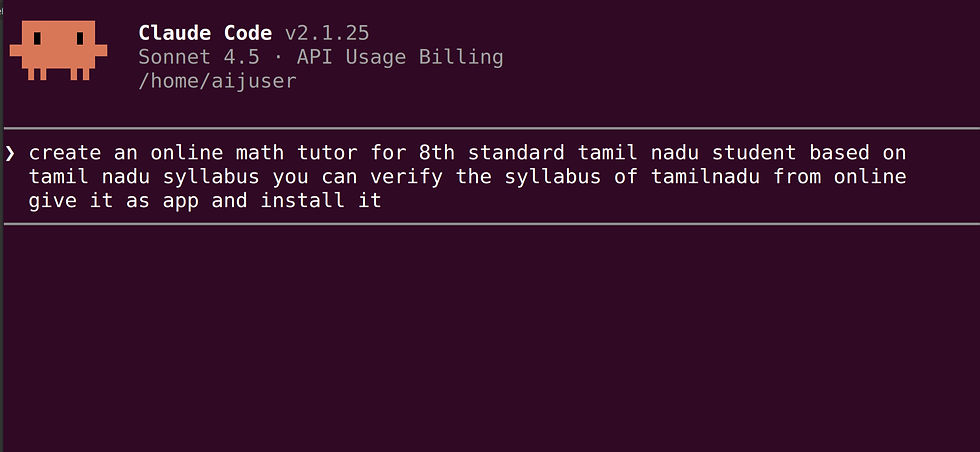
Sample commands

Final Thoughts
Claude Code represents a shift toward AI-native development workflows. By embedding intelligence directly into the terminal, it allows developers to stay focused, move faster, and work more confidently with complex systems.
Comments